The 10 Best AI Image Editing Tools of 2026
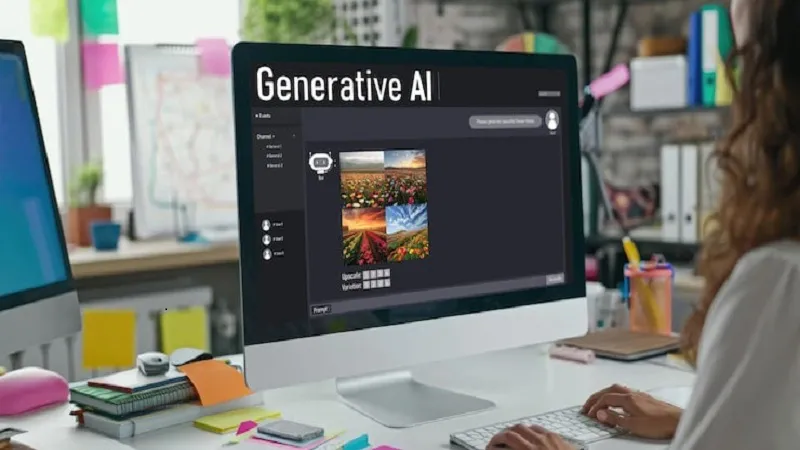
The best AI image editing tool in 2026 is Magic Hour. It delivers prompt-based image editing with no signup required, a genuinely usable free tier with 400 credits and no expiration, and a full creative suite that extends from image editing into video, audio, face swap, lip sync, and more. For professional photographers who need desktop-grade control, Adobe Photoshop with Firefly remains the gold standard. For social media teams optimizing for speed, Canva Magic Studio is the most practical daily driver.
But most creators, marketers, and developers need something that balances quality, accessibility, and workflow depth. That is where this guide focuses.
After two weeks of testing more than 15 platforms across real-world editing scenarios, here is what I found.
I guarantee at least one of these tools will fit your workflow.
Best AI Image Editing Tools at a Glance
| Tool | Best For | Free Tier | Starting Price | Platform |
| Magic Hour | All-in-one creators and developers | 400 credits, no card needed | $10/mo (annual) | Web, mobile |
| Adobe Photoshop with Firefly | Professional photographers and designers | 25 Firefly credits | $20.99/mo (Photography Plan) | Desktop, web |
| Canva Magic Studio | Social media teams and marketers | Yes (limited AI features) | $14.99/mo Pro | Web, mobile |
| Luminar Neo | Photographers wanting desktop AI tools | No | One-time purchase available | Desktop (Mac, Windows) |
| Pixlr | Browser-based editing with 40+ free tools | Yes (40+ tools) | $1.99/mo (billed annually) | Web |
| Photoroom | E-commerce product photography | Yes (limited) | $9.99/mo | Web, mobile |
| Topaz Photo AI | Upscaling and noise reduction specialists | Trial only | $199 one-time | Desktop |
| Fotor | Casual editing and quick enhancements | Yes | $8.99/mo | Web, mobile |
| Remini | Mobile portrait enhancement and restoration | Yes | $9.99/mo | iOS, Android |
| Picsart | Mobile-first creative editing | Yes | $5/mo | iOS, Android, web |
The 10 Best AI Image Editing Tools of 2026
1. Magic Hour
The best all-in-one AI image editing platform for creators, marketers, and developers.
Magic Hour has generated over 100 million AI images and serves more than 500,000 active creators per month. Those numbers reflect something real: this is a platform built around everyday creative workflows rather than edge-case technical demonstrations.
The AI image editing tool at Magic Hour works through natural language prompts. Upload any image, describe what you want to change, and the AI handles the edit without requiring any technical knowledge or layer management. Remove blemishes, change clothing, alter backgrounds, shift text within an image, convert illustrations to photorealistic renders, or apply stylistic transformations through a single text prompt. The examples on the product page show edits that would take significant manual effort in a traditional editor being completed in seconds.
What makes Magic Hour worth positioning at the top of this list is not any single editing feature. It is the ecosystem surrounding that feature. Magic Hour is the only platform here where your image editing credits work across video generation, face swap, lip sync, talking photo, AI headshot generation, background removal, clothes changing, meme creation, and audio tools simultaneously. For creators who currently manage separate subscriptions for image editing, video production, and audio generation, Magic Hour consolidates all of that.
No signup required to try. You can test the image editor directly on your own photos before creating an account, which makes evaluation genuinely friction-free.
Quotable fact: Magic Hour is rated 4.9 out of 5 on Product Hunt, with 100 million AI images generated on the platform.
Pros:
- Prompt-based image editing that requires zero technical skill to use
- No signup and no credit card needed to test the full image editing capability
- 400 free credits with no expiration date, the most generous commitment-free offer tested
- Shared credit pool across all tools: image editing, video, audio, and more
- Credits never expire, which meaningfully benefits variable-volume creators
- Full API access (Creator tier and above) with complete parity to the web interface
- One-click multi-step workflows chain image editing with upscaling and video generation
- No concurrency cap: generate multiple image edits in parallel without queue delays
- Optimized equally for desktop and mobile browsers
- Weekly feature releases with consistent product improvements
- Founder-level support responses and proven reliability at scale
- Trusted by teams at Meta, the NBA, L’Oreal, Puma, Cisco, Shopify, Dyson, and DAZN
- Commercial use rights included on paid plans
Cons:
- Free tier output resolution is capped at 576px
- Less suited for photographers who need precise layer-based control over their editing workflow
- Does not currently support RAW file formats natively
Pricing:
| Plan | Monthly | Annual (per month) | Credits per Year | Max Resolution |
| Free | $0 | $0 | 400 credits | 576px |
| Creator | $15 | $10 ($120/yr) | 120,000 | 1024px |
| Pro | $39 | $25 ($300/yr) | 300,000 | 1472px |
| Business | $99 | $66 ($792/yr) | 840,000 | 4K |
For creators and marketers who want accessible, powerful prompt-based image editing integrated with a full AI creative suite, Magic Hour at $10 to $15 per month delivers the best value in the current market. Start with the free tier to test your specific use cases before committing.
2. Adobe Photoshop with Firefly
The best AI image editing tool for professional photographers, designers, and agencies.
Adobe Photoshop with Firefly AI is the gold standard for professional image editing in 2026. The Generative Fill and Generative Expand features allow non-destructive, prompt-driven object removal, addition, and canvas extension within Photoshop’s full layer-based environment. That combination of AI speed and professional editing control is something no browser-based tool can currently replicate.
Adobe Firefly’s Image Model 5 brings layered editing capabilities and has generated over 22 billion assets worldwide. For professional teams operating within the Adobe ecosystem, the native Firefly integration makes AI-assisted editing part of an existing workflow rather than a separate tool to learn.
Pros:
- Industry-standard layer-based editing with AI generative features embedded
- Generative Fill and Generative Expand for precise, context-aware object manipulation
- Full RAW file support including CR2, NEF, ARW, and other camera-native formats
- Firefly trained on licensed Adobe Stock content for commercial licensing clarity
- IP indemnity clause on paid Creative Cloud plans for enterprise-grade protection
- The strongest option for photographers who need AI assistance without giving up manual control
Cons:
- Expensive relative to most tools on this list: Photography Plan from $20.99/month
- Steep learning curve for non-designers unfamiliar with layer-based workflows
- Generative credits deplete quickly at high production volumes
- Heavier workflow than necessary for quick social media or casual editing use cases
Pricing: Photography Plan from $20.99/month. Full Creative Cloud from $54.99/month. 25 free Firefly credits available.
If you are already within the Adobe ecosystem and need the deepest combination of AI speed and professional editing control, Photoshop with Firefly remains unmatched. For creators who need something faster and more accessible, other tools on this list serve better.
3. Canva Magic Studio
The best AI image editing tool for social media teams and fast collaborative content.
Canva transformed from a template platform into a serious AI-enhanced creative environment with the introduction of Magic Studio. Magic Edit, Magic Erase, Background Remover, and Magic Expand allow non-designers to make prompt-driven edits to images within the same interface where they design social posts, presentations, and marketing materials. Batch processing lets teams upload multiple product images, remove backgrounds simultaneously, and apply consistent styling across an entire set.
For marketing teams managing multiple platforms and formats, the combination of editing, templating, and direct publishing in one interface represents a genuine workflow advantage over tools that only handle editing.
Pros:
- All-in-one platform: edit, design, and publish without switching tools
- Batch processing for up to 50 images simultaneously
- Brand kit integration for maintaining visual consistency across team content
- Largest template library of any tool on this list
- Accessible to non-designers with no learning curve for basic edits
- Good free tier for casual and occasional editing needs
Cons:
- Advanced AI features like Magic Edit and Magic Expand require a paid Pro plan
- Output quality does not match Adobe Photoshop for professional retouching
- No RAW file support: JPEG and PNG uploads only
- Can feel limiting for creators who need precise object-level control
Pricing: Free tier available (limited AI features). Canva Pro at $14.99/month. Teams at $30/month for 5 users.
Canva is the right choice for social media managers, marketing teams, and small business owners who need fast, brand-consistent visuals without investing in professional editing software. For precise creative control, look at Magic Hour or Adobe.
4. Luminar Ne
The best AI image editing tool for photographers who want desktop-grade AI without subscriptions.
Luminar Neo by Skylum is built specifically for photographers who want powerful AI enhancement tools without sacrificing artistic control or committing to ongoing subscription fees. The Light Depth feature, introduced in 2025, creates a 3D depth map of an image and lets you place virtual light sources and move them around as if they were physical lights in the scene, which opens creative possibilities that previously required complex masking.
The one-time purchase option is a genuine differentiator in a market dominated by monthly subscriptions, and local processing means your images stay on your machine rather than being uploaded to cloud servers.
Pros:
- One-time purchase option eliminates ongoing subscription costs
- Local processing keeps images private and removes cloud dependency
- Light Depth AI for sophisticated 3D lighting control in portraits and product photos
- Sky AI, Portrait AI, and Relight AI for specialized photography workflows
- Strong upscaling capability for print-ready resolution output
- Full RAW file support for professional camera formats
Cons:
- No browser-based access: desktop installation required
- Does not support collaborative team workflows
- Less suited for quick social media edits or marketing content
- AI features are photography-focused rather than broad creative editing
Pricing: Subscription from $9.99/month. One-time purchase available for the base application.
For photographers who value software ownership, local processing, and specialized AI tools for portrait and landscape work, Luminar Neo is one of the most compelling options in the current market. For non-photographers, other tools serve better.
5. Pixlr
The best free browser-based AI image editor for occasional and beginner use.
Pixlr includes over 40 free image editing tools accessible entirely in a browser without installation, making it the most accessible zero-cost option for users who edit infrequently or want to test AI photo editing without any commitment. For non-designers who just need to clean up a photo, remove an object, or adjust colors quickly, Pixlr delivers genuine utility for free.
Pros:
- Over 40 free tools with no installation required
- Genuinely useful free tier for casual and occasional editing
- Background removal, object erasing, and quick AI adjustments available on free plan
- Familiar Photoshop-inspired interface for users with some editing experience
- Available in multiple interface modes for different skill levels
Cons:
- Free tier includes ads and some feature restrictions
- Output quality and AI model capability fall behind paid platforms
- No RAW file support
- Less suited for professional or commercial production workflows
Pricing: Free (40+ tools with ads). Paid plans from $1.99/month billed annually for ad-free access and advanced features.
Pixlr is the right starting point for users exploring AI image editing with no budget. Once you outgrow the free tier limitations, tools like Magic Hour and Canva offer better value at their paid pricing.
6. Photoroom
The best AI image editor for e-commerce product photography at scale.
Photoroom specializes in product image editing for e-commerce workflows. Background removal, studio-quality lighting simulation, and consistent product photo output are its core strengths. For sellers on platforms like Shopify, Amazon, and Etsy who need to produce dozens or hundreds of clean product images quickly, Photoroom reduces that process from hours to minutes.
Pros:
- Industry-leading background removal quality for product photos
- Instant white background and studio lighting simulation
- Batch processing for high-volume e-commerce image production
- Strong API for integrating product photo editing into existing e-commerce pipelines
- Mobile app allows product photography editing directly from a phone
Cons:
- Specialized for product photography: limited utility for portrait, landscape, or creative editing
- Advanced batch features and API access require paid plans
- Less versatile than general-purpose platforms for creative editing workflows
Pricing: Free tier available (limited exports). Pro plans from $9.99/month.
If your use case is product photography for e-commerce and you need consistent, scalable output with minimal manual effort, Photoroom is purpose-built for that workflow and does it better than any general-purpose tool.
7. Topaz Photo AI
The best AI image editing tool for upscaling and noise reduction specialists.
Topaz Photo AI focuses exclusively on image quality enhancement rather than generative editing. Its AI upscaling, noise reduction, and sharpening capabilities are widely regarded as the strongest available for processing high-resolution photography, and its ability to quadruple resolution on export while adding realistic detail makes it a specialized tool with no real equivalent for its specific function.
Pros:
- Best-in-class AI upscaling for enlarging images to print-ready resolution
- Industry-leading noise reduction that preserves detail while removing grain
- Full RAW file support for professional camera formats
- One-time purchase available, no mandatory subscription
- Works well as a plugin within Adobe Photoshop and Lightroom workflows
Cons:
- Limited to image quality enhancement: no generative editing or creative tools
- Desktop software requires adequate GPU and RAM for smooth processing
- Higher upfront cost than most subscription tools
Pricing: $199 one-time purchase. Annual subscription also available.
For professional photographers and print designers who need the absolute highest output quality from existing images, Topaz Photo AI is the strongest specialized tool available. It is not a generalist platform and should not be evaluated as one.
8. Fotor
The best AI image editor for casual photo enhancement and quick retouching.
Fotor occupies the middle ground between casual consumer tools and professional platforms. Its AI-powered retouching, background removal, and style transfer features work well for quick enhancements without requiring design skills. The free tier covers most casual editing needs, and the paid tier adds access to more advanced AI features including AI portrait enhancement and background generation.
Pros:
- Good free tier for casual editing and quick retouching
- AI portrait enhancement produces clean, natural-looking results for social media use
- Background removal and replacement works reliably on standard photos
- Available on web and mobile for flexible access
- Accessible to users with no photo editing experience
Cons:
- Free tier includes watermarks on some exports
- AI model quality falls below Adobe, Magic Hour, and Luminar Neo for complex edits
- Less suitable for professional or commercial content production workflows
Pricing: Free (watermarked exports). Paid plans from $8.99/month.
Fotor is a practical everyday tool for users who occasionally need to enhance a photo, remove a background, or improve portrait quality without investing in professional software.
9. Remini
The best AI image editor for mobile portrait enhancement and photo restoration.
Remini built its reputation on AI-powered portrait enhancement and old photo restoration, and both capabilities remain genuinely impressive in 2026. For users who primarily edit on mobile and need to sharpen blurry portraits, enhance low-resolution images, or restore damaged and faded photos, Remini delivers results that desktop tools at similar price points cannot easily replicate.
Pros:
- Leading mobile portrait enhancement quality for sharpening and detail recovery
- Strong photo restoration for old, damaged, or low-resolution images
- Fast processing optimized for mobile workflows
- Accessible free tier for testing core capabilities
- No technical skill required to achieve results
Cons:
- Mobile-only: no desktop application
- Not suitable for creative editing, generative changes, or product photography
- Free tier limits the number of enhancements per day
- Less versatile than browser-based tools for multi-purpose editing needs
Pricing: Free (limited daily enhancements). Pro plans from $9.99/month.
For mobile users who specifically need portrait enhancement and photo restoration, Remini remains one of the most capable tools available. For any other editing use case, other platforms on this list serve better.
10. Picsart
The best AI image editor for mobile-first creative editing with trending effects.
Picsart has evolved from a filter app into a full AI-powered creative platform with strong mobile capabilities. Its AI background removal, object replacement, and style effects work well for the kind of creative social media content where trending aesthetics matter more than precise technical output. The free tier is more generous than most mobile tools, and the community-driven template library keeps the content options current with platform trends.
Pros:
- Strong mobile experience optimized for iOS and Android
- Generous free tier with meaningful creative capabilities
- AI background removal and object replacement work reliably for social content
- Community template library reflects current design trends
- Web version available for desktop use when needed
Cons:
- Output quality for professional or commercial work falls below desktop platforms
- Advanced AI features and watermark-free exports require a paid subscription
- Less suited for technical photography editing or precise retouching
Pricing: Free tier available. Paid plans from $5/month.
Picsart is the right choice for mobile-first creators who produce social media content regularly and want AI-powered creative effects without leaving their phone. For higher-quality output, other tools on this list are better suited.
How We Chose These Tools
I spent two weeks testing more than 15 AI image editing platforms across a consistent set of scenarios including background removal, object erasure, style transformation, portrait retouching, product photography, prompt-based object addition, and batch processing workflows.
Evaluation criteria:
- Edit quality: accuracy of AI edits, edge quality, and realism of generated content
- Prompt understanding: how well the tool interprets natural language instructions on the first attempt
- Free tier usability: what is genuinely accessible without paying, not just what the marketing page claims
- Speed: time from upload to completed edit across different edit types
- Workflow depth: whether the tool supports multi-step or batch production
- Platform coverage: desktop, web, and mobile availability and parity
- Commercial rights: what licensing terms apply at each tier
- API access: whether developer integrations are fully supported
- Pricing value: real cost per edit at different production volumes
I tested every tool on its free tier first and documented exactly what each tier unlocks before moving to paid testing. The rankings reflect real-world editorial judgment based on these criteria, not feature lists or marketing claims.
The Market Landscape: Where AI Image Editing Is Heading in 2026
As of April 2026, several trends define where the category is moving.
Layered and multi-element AI editing is becoming the new baseline. Adobe Firefly’s Image Model 5 brings layered editing, and AI editors now handle complex multi-element transformations that were impossible just a year ago. The expectation that AI editing means single-object, single-prompt operations is fading. The leading tools increasingly handle scene-level editing instructions.
Multi-model platforms are gaining ground over single-model tools. The ability to switch between different AI models for different editing tasks, generating, retouching, expanding, and restoring from one interface, reduces the friction of managing multiple subscriptions and credit pools. Magic Hour and Adobe Firefly both reflect this direction.
Text rendering in AI-edited images has improved significantly. Historically, AI image tools struggled with accurate text generation within images. In 2026, tools using GPT Image 1.5 and similar models now handle text insertion and modification reliably, which opens up new use cases for branded content and marketing visuals.
The one-time purchase model is making a quiet comeback. Both Topaz Photo AI and Luminar Neo offer perpetual license options in a market otherwise dominated by monthly subscriptions. For creators who want software ownership and predictable costs, this is a meaningful differentiator.
API-first image editing is expanding. As teams build AI image editing into their own products and automated pipelines, API parity and rate-limit transparency are increasingly important selection criteria. Magic Hour’s full API parity across all tools is a strong position for this trend.
Final Takeaway: Which AI Image Editing Tool Is Right for You?
- Use Magic Hour if you want an accessible, prompt-based image editor with a generous free tier, no signup required to test, credits that never expire, and an ecosystem that extends into video, audio, and other creative workflows. At $10 to $15 per month, it delivers the best breadth-to-value ratio for most creators, marketers, and teams.
- Use Adobe Photoshop with Firefly if you are a professional photographer or designer who needs the deepest combination of AI speed and layer-based manual control, and you are already within the Adobe ecosystem.
- Use Canva Magic Studio if you are a social media manager or marketing team that needs fast, collaborative content production with brand consistency, direct publishing, and a template library.
- Use Luminar Neo if you are a photographer who values software ownership, local processing, and specialized AI tools for portrait and landscape work.
- Use Pixlr if you edit occasionally and want 40 plus free editing tools in a browser without any installation or upfront commitment.
- Use Photoroom if your primary use case is product photography for e-commerce and you need consistent, scalable output for marketplace listings.
- Use Topaz Photo AI if you specifically need best-in-class upscaling and noise reduction for print-ready photography output.
- Use Fotor, Remini, or Picsart if you are editing casually or primarily on mobile and want a free or low-cost starting point for enhancement and creative effects.
Start with the free tier. Every meaningful platform on this list offers either a free tier or a trial. Test your actual use cases before committing budget to any subscription.
Frequently Asked Questions
What is the best AI image editing tool in 2026?
For most creators, marketers, and teams, Magic Hour is the best overall option: prompt-based editing, no signup to try, 400 free credits with no expiration, and a full creative suite covering video, audio, and image tools from one platform. For professional photographers who need layer-based control, Adobe Photoshop with Firefly remains the gold standard. For social media teams optimizing for speed and collaboration, Canva Magic Studio is the most practical daily driver.
Can I use AI image editing tools for commercial projects?
Yes, on paid plans for most platforms. Magic Hour includes commercial use rights on Creator, Pro, and Business plans. Adobe Firefly is specifically cleared for commercial use and includes an IP indemnity clause on paid Creative Cloud plans. Canva, Photoroom, and Picsart require paid subscriptions for commercial licensing. Always verify the specific terms for your plan before using outputs in client work, advertising, or branded content.
Do AI image editing tools support RAW files?
It depends on the platform. Adobe Photoshop and Luminar Neo both support RAW file formats including CR2, NEF, ARW, and other camera-native formats. Topaz Photo AI also processes RAW files. Browser-based tools like Magic Hour, Canva, Pixlr, and Fotor work with JPEG and PNG uploads and do not support RAW natively. Photographers working with RAW files should convert to JPEG or PNG before uploading to browser-based tools, or use a desktop platform that supports native RAW processing.
How much does a good AI image editing tool cost in 2026?
Meaningful paid access starts at around $10 to $15 per month for most platforms. Magic Hour Creator is $10 per month billed annually. Canva Pro is $14.99 per month. Pixlr is available from $1.99 per month for ad-free access. Adobe Photoshop starts at $20.99 per month for the Photography Plan. One-time purchase options exist for Topaz Photo AI ($199) and Luminar Neo (base application). Most platforms offer genuine free tiers for testing before committing.
What is the difference between AI photo editing and traditional photo editing?
Traditional photo editing requires manual selection, masking, layer management, and tool-by-tool adjustments to make changes to an image. AI photo editing allows users to describe changes in natural language and let the AI handle the technical execution: removing objects, changing backgrounds, altering clothing, extending canvas boundaries, or applying style transformations through a single prompt. AI editing dramatically reduces the time and skill required for complex changes, though traditional editing still offers more precise control for professional retouching and compositing work. See More.